TL;DR
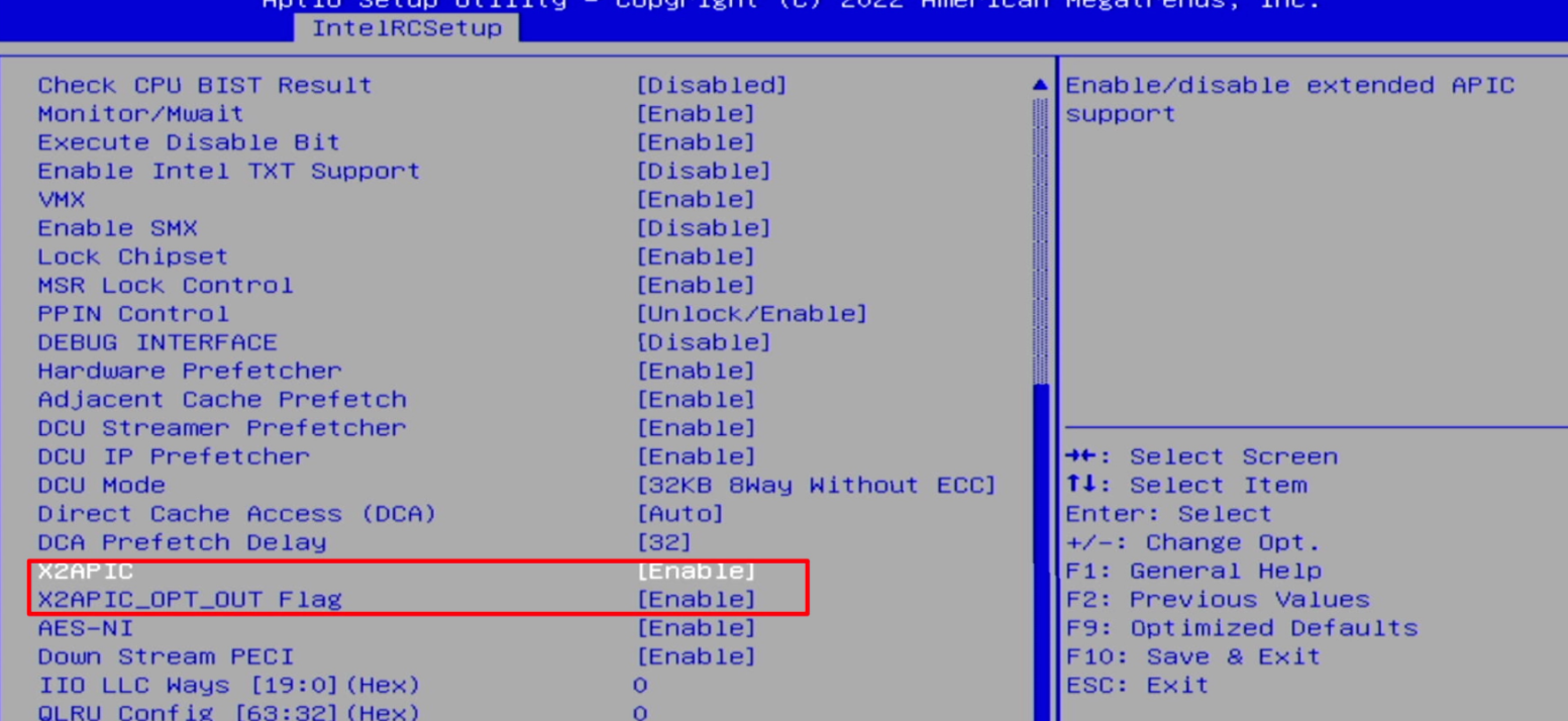
- 遇到“IRQ remapping doesn't support X2APIC mode”时,进入 BIOS 的 IntelRCSetup,将 X2APIC 和 X2APIC_OPT_OUT Flag 都设为 Enabled,保存并重启 PVE。
开启 VT-d 后,依旧提示 doesn’t support X2APIC mode#
mic@moe-pve:~# dmesg | grep remapping
[    0.522241] DMAR-IR: Enabled IRQ remapping in xapic mode
[ 0.522243] x2apic: IRQ remapping doesn't support X2APIC mode检查 BIOS 中的如下选项是否开启:
- 进入 BIOS。 2. 找到
IntelRCSetup - X2APIC并设置为Enabled。 3. 找到IntelRCSetup - X2APIC_OPT_OUT Flag并设置为Enabled。